Websites and mobile apps
A team of AI agents that builds, ships and maintains your software
institorAI is a platform of AI agents for websites and mobile apps. Describe the project in a conversation: the agents write the code on GitHub, put the site online and keep you posted at every step.
Free plan with 1 project and 10 templates.
Demo
Mario, his trattoria and five minutes
Mario does not write code. He asks for a website, fixes it with an annotation, takes inspiration from a template and adds online bookings.
If the video does not start, open the file in a new tab.
Read the video transcript
This is Mario. He runs a trattoria in Turin called Da Institore, and he wants a website. Without writing a single line of code.
On first sign-in, institor explains how it works. Every set has an Institor: like the institor of Italian commercial law, it runs the work on the owner's behalf and directs the agents.
Mario creates his first set: the team of agents dedicated to the restaurant.
He keeps the recommended size and profile, and creates the set.
The Claude credential is included in the Base plan: no keys to configure.
Then the first project: the restaurant website, built from scratch with AI. The agents create the repository and publish the site.
Now he writes to the Institor: a landing page for the restaurant, published online.
While they work, the panel on the right shows who is working. The Institor has handed design and development to two subagents, and Mario can open each one's log.
Meanwhile Mario glances at the overview: the running set, this month's tokens, the voice minutes.
Eleven minutes later the Institor replies: the landing page is ready and already published.
In the Artifacts section Mario sees the site, right inside the app.
And he opens it in a new tab, the way his guests will see it.
He wants a more modern name. He clicks Annotate, draws a box around the title and writes the change: Da InstitorAI, with AI in colour.
The review reaches the Institor together with the screenshot. In under two minutes the change is live.
Da InstitorAI, with AI in orange. Exactly as he asked.
Mario wants a more polished site. Among the templates he finds Forkly, a food delivery site, and opens the preview.
He has no use for deliveries. What he likes is the style: cream and tangerine, the rounded typeface, the categories in circles.
So he asks the Institor to take inspiration from Forkly, without copying it. And he gives his own directions: burgundy headings, today's special in the hero, no cart.
The Institor studies the template and splits the work between a designer and a developer.
Here is the reply: what it took from Forkly, what stayed his own, and what it removed.
The style comes from Forkly, but the site is still his trattoria: his dishes, his colours, his questions.
Now bookings. Mario asks for a page for his guests and a staff area for himself: the list, phone bookings entered by hand, and the maximum seats per day and time.
This one needs a database and an API. The Institor brings in a backend developer, a frontend developer and a tester.
All live, with twenty-three tests passed.
A guest books: Saturday at eight thirty, four people. The free seats are right there.
In the staff area Mario finds the booking, and adds the one that came in by phone.
Then he decides how many seats to open for each sitting: Sunday lunch gets a few more.
Finally, usage: four requests, just over five million tokens out of the ten in the Base plan.
institorAI. Write what you need: your team of agents builds it and publishes it.
How it works
From idea to live site in four steps
- Step 1
Create a set
A set is your group of AI agents, coordinated by an Institor. You choose which agents it includes.
- Step 2
Describe the project
Write what you need, the way you would tell a colleague. Start from scratch or from a template.
- Step 3
The agents get to work
The Institor splits the work. The agents report back in the conversation and ask you when a decision is needed.
- Step 4
The site is live
Every published project has its own address. Open it, try it and share it.
Three ways to work
Choose how much the agents do on their own
You pick the mode when you create the project.
- New repository
From scratch
The agents create the repository, merge their changes and publish right away.
- New repository on GitHub
- Site online from the first version
- Good for new ideas and prototypes
- Someone else’s repository
External contributor
The agents work on someone else’s repository, the way a contributor would.
- Dedicated institor/… branches
- Every change arrives as a pull request
- A person always does the merge
- Existing repository
Full delegation
Hand over a repository you already have. The agents study it first, then work on it.
- Initial analysis is required
- No changes until you approve the analysis
- Then automatic merge and publishing
What it does
Everything it takes to get online
Several harnesses in one set
A harness is the program an agent works inside. Claude Code, Codex and OpenClaw can sit in the same set.
Repositories on GitHub
The code lives in a GitHub repository, with the history of every change and pull requests to review.
Hosting included
Every site has its own address and runs in an isolated namespace on our Kubernetes cluster.
Android app with notifications
Follow your projects and write to the agents from your phone. Notifications tell you when something new happens.
Connected tools
Connect accounts such as Google and GitHub to the set: the agents use them in their daily work.
Live activity
See what each agent is doing while it works, without waiting for the end.
Automatic sleep
The set sleeps after 30 minutes of inactivity and wakes at the next message. The site stops after 24 hours without visits and restarts at the next one.
Templates
Start from a ready-made template
The agents adapt it to your project: names, copy, colours and features. These ten are included in the Free plan.

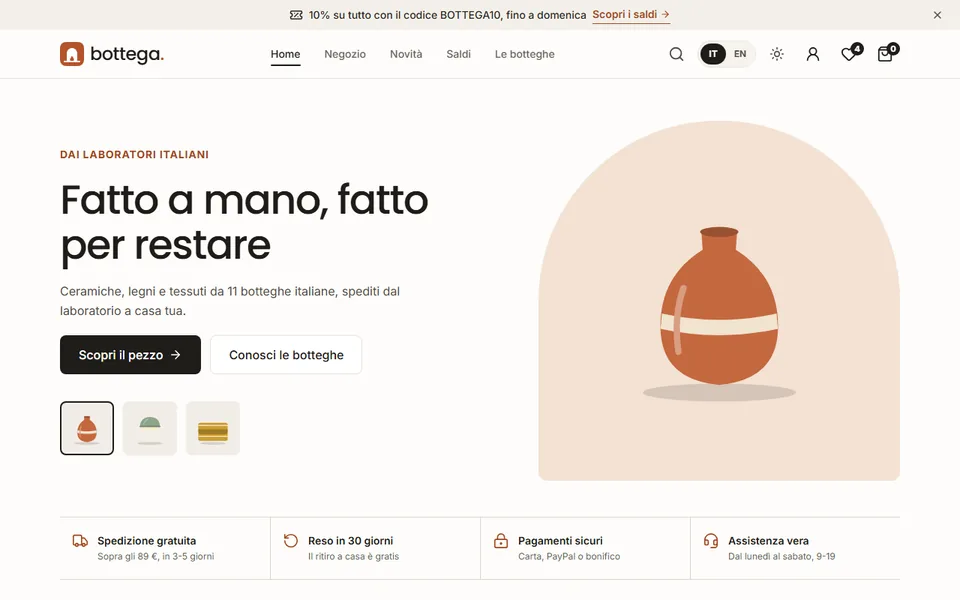

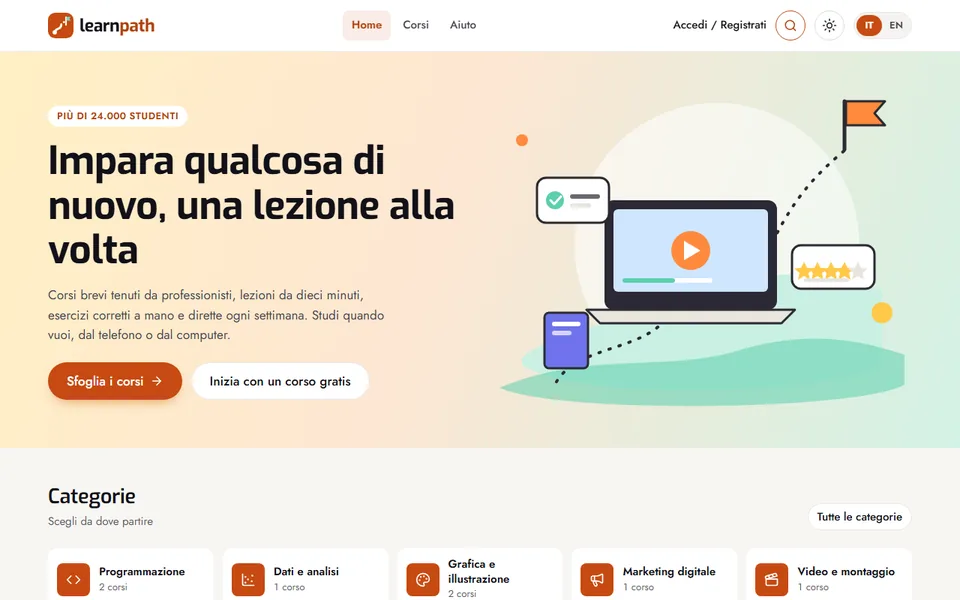
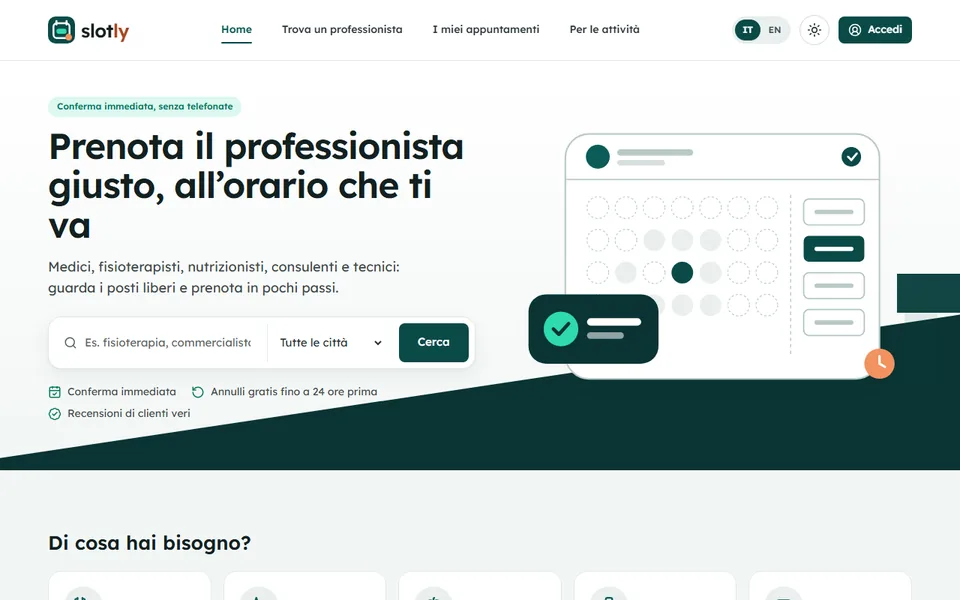

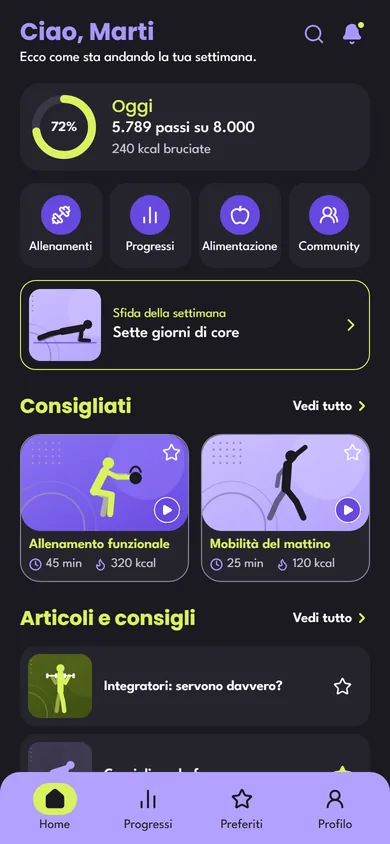


34 more templates with a Base or Premium subscription. See the plans
For developers
InstitorAI DevHub: your projects and Claude Code in one app
A Windows app that brings together projects, services, tests, deploys and the agent working on them. You decide, the agent does the work, and everything stays on your PC.
What you need
- Windows 10 or 11.
- Your own Claude Code account: DevHub runs it, it does not include or resell it.
- The InstitorAI DevHub license: included in the Premium plan, or on its own with a monthly subscription.
DevHub only: €8.99 per month, cancel at any time.
Get DevHubWith Premium or with the DevHub-only subscription you download the app and the license key from the dashboard.
Every project in one place
Start and stop services, run tests and deploy scripts, see ports and processes for each project.
Claude Code built in
One session per project, as a conversation or in the terminal, with the agent’s status always in view.
Open questions and TODOs
When the agent is unsure it opens a question and keeps going. Answer when you like, even from your phone.
Encrypted credentials
Tokens and keys stay encrypted on your PC. The agent uses them in commands without ever reading them.
Project servers and browser
SSH connections, tunnels and clusters defined once, plus a browser per project with your logins.
Telegram bot
Get the agent’s questions on Telegram and answer from there: work does not stop when you are away.
Pricing
Start for free, grow when you need to
Every plan includes hosting, GitHub repositories and the Android app.
Free
Start hereFree
To try institorAI on a real project.
Start for free- 1 agent set
- 1 project
- 15 million tokens a month on the system model
- Shared node: 2 CPUs and 4 GB across 4 users
- 10 templates
- “Made with institorAI” note in your projects
Base
€59/month
For people who look after a few projects over time.
Choose Base- 1 agent set
- Up to 3 projects
- 20 million tokens a month on the system model
- Personal node: 2 CPUs and 4 GB
- All 44 templates
- No note in your projects
Premium
Most complete€249/month
For people who work with several sets and many projects.
Choose Premium- Up to 3 agent sets
- Up to 10 projects per set
- 70 million tokens a month on the system model
- Personal node: 4 CPUs and 8 GB
- All 44 templates
- No note in your projects
- InstitorAI DevHub for Windows
- The set sleeps after 30 minutes of inactivity and wakes at the next message.
- The hosted site stops after 24 hours without visits and restarts at the next one.
- You can use your own AI credential instead of the system one.
- In euro area countries prices are in euros, elsewhere in US dollars.
Frequently asked questions
Before you start
Why is it called institorAI?
In Roman and Italian law, an institor is the person who runs a business on behalf of its owner. Every set has an agent that does the same: the Institor takes your requests and directs the other agents on your behalf. That is where the name institorAI comes from.
Can I use my own AI credential?
Yes. You can connect your own subscription or API key and use it instead of the system model. The monthly tokens listed in the plans refer to the system model.
What happens when the site goes to sleep?
After 24 hours without visits the site stops so it does not use resources. It restarts by itself at the next visit: whoever opens it sees a short waiting page. The code stays in the repository.
Can I bring an existing repository?
Yes. In “External contributor” mode the agents propose changes as pull requests and a person does the merge. In “Full delegation” mode they analyse the repository first and start writing only after you approve.
What does the showcase show, and how do I remove my project?
The showcase shows only the name and public address of some sites published with institorAI. Code, conversations and data stay out of it. If one of your projects appears, you can remove it in the project settings.
Is there a phone app?
Yes, for Android. Follow your projects, write to the agents and get the set’s notifications. The agents can also build mobile apps for your projects.
How is my data handled?
Each set and each site runs separately from other users’. What you write to the agents goes to the provider of the AI model you use. If the project handles sensitive data, check first whether this level of protection is enough for you.
Your first project is free
Create a set, describe the idea and watch the agents at work.